Usage
Every hi --flag, with an example of each and what it prints. The flags, their shapes, and the one-line help come from common/flags, the table hi --help prints from; the examples come from docs/tapes/usage, and CI renders each in a throwaway home with a tagged ssh host and a vimrc. What a flag does in full is the man page; a connect itself is the README’s demos. A command needs the checkout’s scripts/, which a session does not carry, unless it says it works in a session.
Contents
- Every command
hi --helphi --versionhi --usehi --plainhi --no-plainhi --muxhi --no-muxhi --keephi --no-keephi --endhi --previewhi --doctorhi --installhi --uninstallhi --configurehi --updatehi --add-packagehi --remove-packagehi --add-taghi --set-colorhi --unset-colorhi --pluginshi --plugin-offhi --plugin-onhi --add-pluginhi --remove-plugin
Every command
hi --help
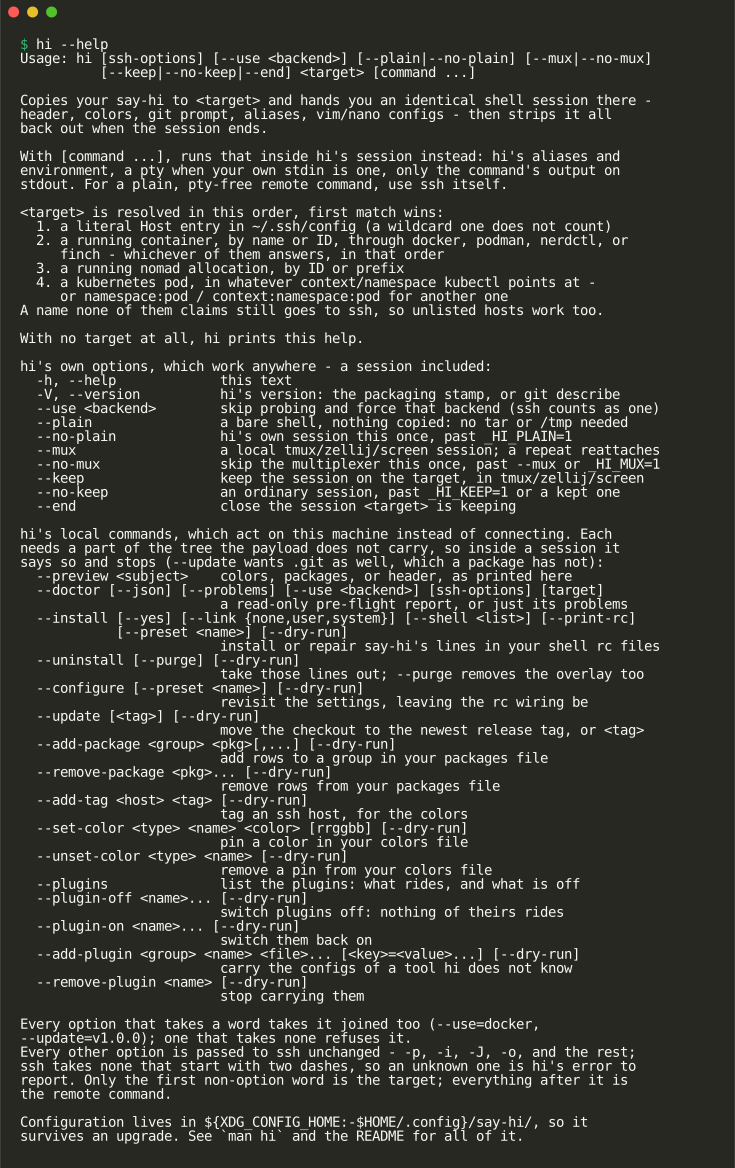
hi --help: this text. Works in a session too.
hi --version
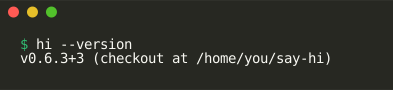
hi --version: hi’s version: the packaging stamp, or git describe. Works in a session too.
hi --use
hi --use <backend>: skip probing and force that backend (ssh counts as one). Works in a session too.
It changes how a connect runs, which the README’s demos show.
hi --plain
hi --plain: a bare shell, nothing copied: no tar or /tmp needed. Works in a session too.
It changes how a connect runs, which the README’s demos show.
hi --no-plain
hi --no-plain: hi’s own session this once, past _HI_PLAIN=1. Works in a session too.
It changes how a connect runs, which the README’s demos show.
hi --mux
hi --mux: a local tmux/zellij/screen session; a repeat reattaches. Works in a session too.
It changes how a connect runs, which the README’s demos show.
hi --no-mux
hi --no-mux: skip the multiplexer this once, past –mux or _HI_MUX=1. Works in a session too.
It changes how a connect runs, which the README’s demos show.
hi --keep
hi --keep: keep the session on the target, in tmux/zellij/screen. Works in a session too.
It changes how a connect runs, which the README’s demos show.
hi --no-keep
hi --no-keep: an ordinary session, past _HI_KEEP=1 or a kept one. Works in a session too.
It changes how a connect runs, which the README’s demos show.
hi --end
hi --end: close the session <target> is keeping. Works in a session too.
It changes how a connect runs, which the README’s demos show.
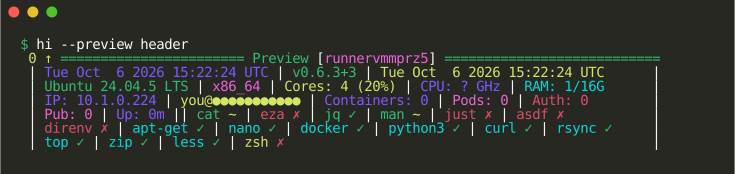
hi --preview
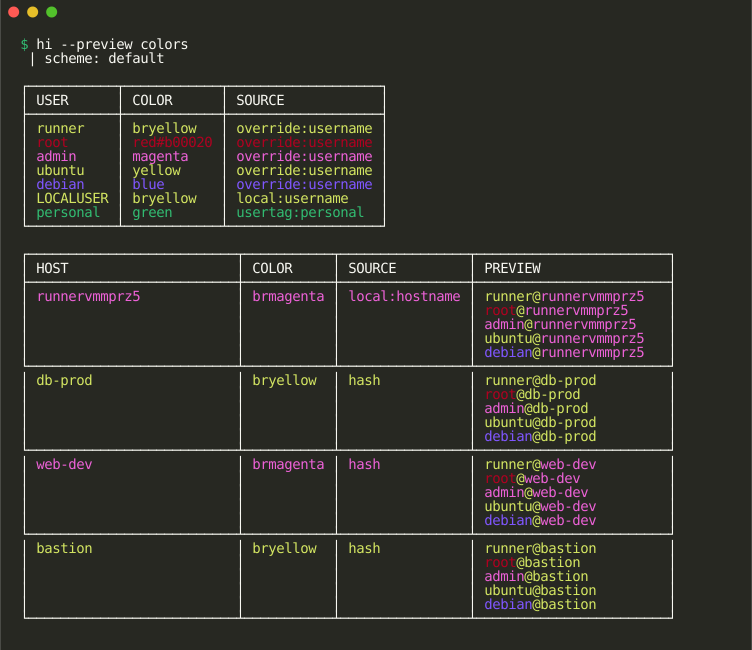
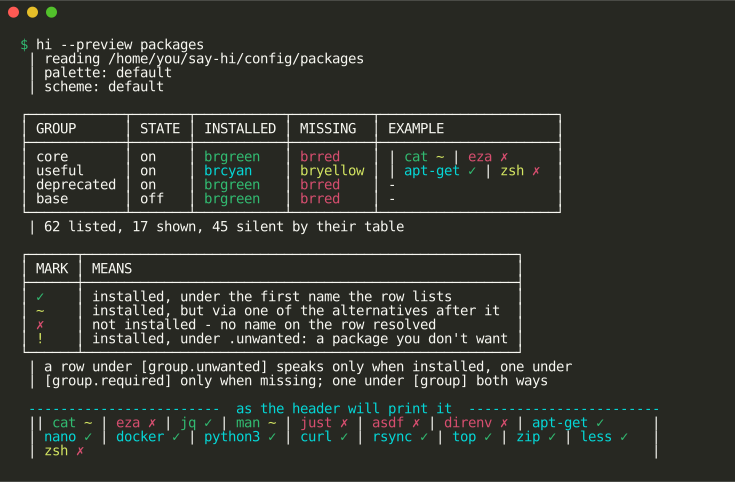
hi --preview <subject>: colors, packages, or header, as printed here.
hi --doctor
hi --doctor [--json] [--problems] [--use <backend>] [ssh-options] [target]: a read-only pre-flight report, or just its problems.

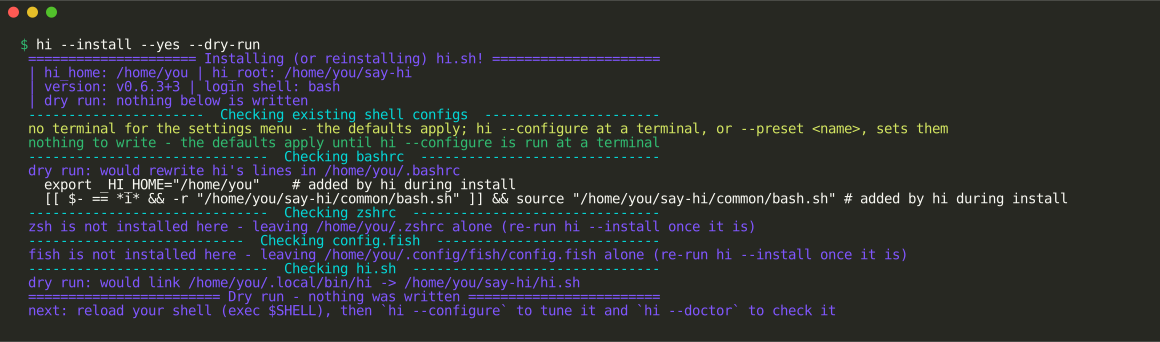
hi --install
hi --install [--yes] [--link {none,user,system}] [--shell <list>] [--print-rc] [--preset <name>] [--dry-run]: install or repair say-hi’s lines in your shell rc files.
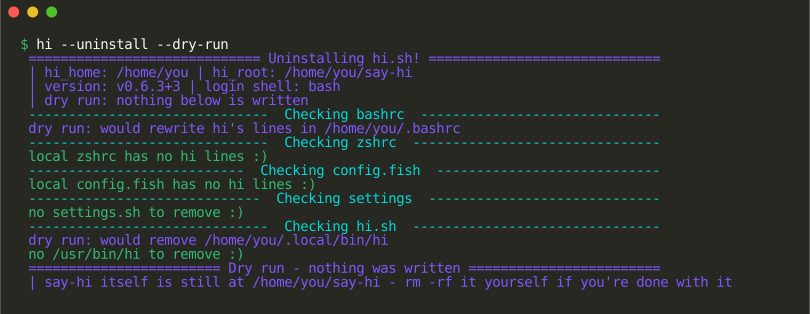
hi --uninstall
hi --uninstall [--purge] [--dry-run]: take those lines out; –purge removes the overlay too.
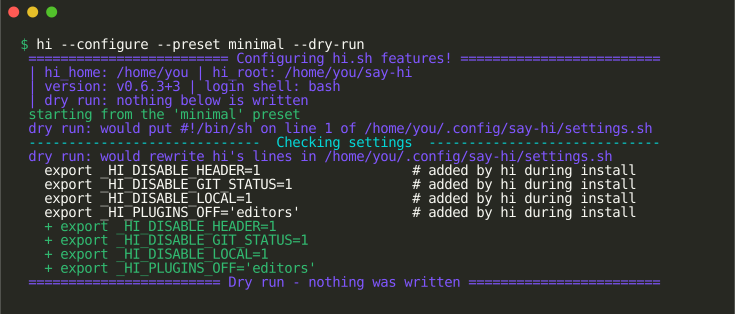
hi --configure
hi --configure [--preset <name>] [--dry-run]: revisit the settings, leaving the rc wiring be.
hi --update
hi --update [<tag>] [--dry-run]: move the checkout to the newest release tag, or <tag>. Needs a git checkout, which a package is not.
No image: its output depends on the network and the release tags.
hi --add-package
hi --add-package <group> <pkg>[,...] [--dry-run]: add rows to a group in your packages file.

hi --remove-package
hi --remove-package <pkg>... [--dry-run]: remove rows from your packages file.

hi --add-tag
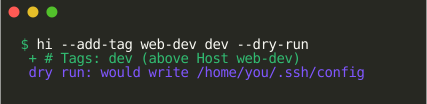
hi --add-tag <host> <tag> [--dry-run]: tag an ssh host, for the colors.
hi --set-color
hi --set-color <type> <name> <color> [rrggbb] [--dry-run]: pin a color in your colors file.

hi --unset-color
hi --unset-color <type> <name> [--dry-run]: remove a pin from your colors file.

hi --plugins
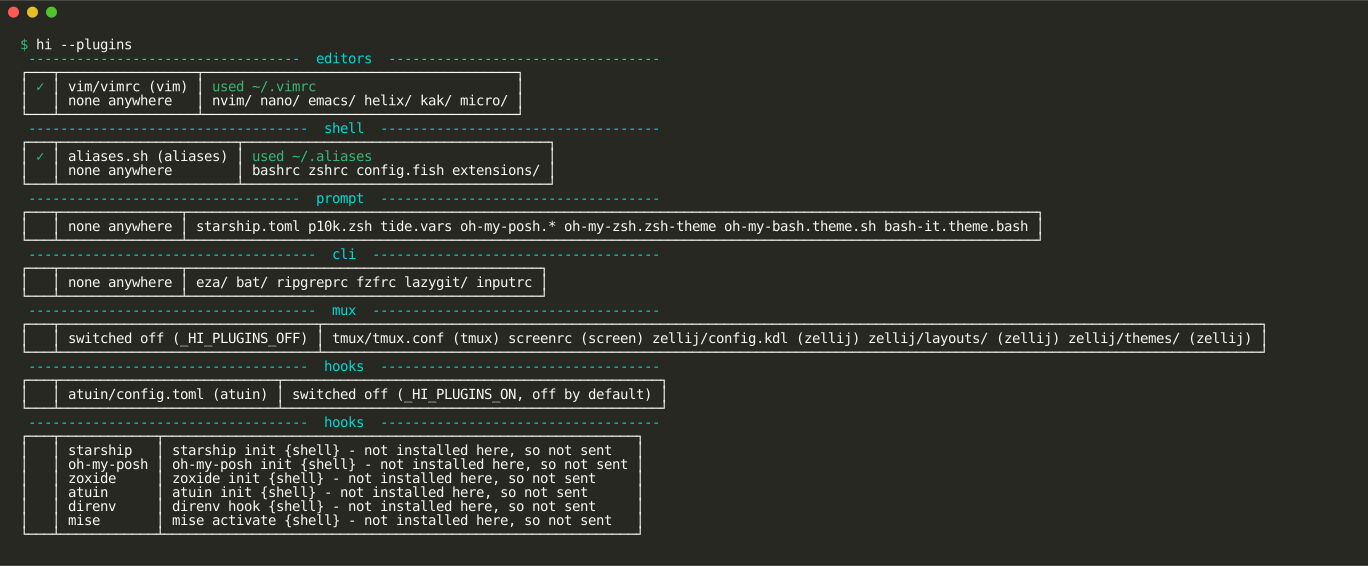
hi --plugins: list the plugins: what rides, and what is off.
hi --plugin-off
hi --plugin-off <name>... [--dry-run]: switch plugins off: nothing of theirs rides.

hi --plugin-on
hi --plugin-on <name>... [--dry-run]: switch them back on.

hi --add-plugin
hi --add-plugin <group> <name> <file>... [<key>=<value>...] [--dry-run]: carry the configs of a tool hi does not know.

hi --remove-plugin
hi --remove-plugin <name> [--dry-run]: stop carrying them.
